Create a MyQuest® account
Creating an account is a 2-step process:
1 Create an account and validate your email address.
2 Verify your identity and authorize Quest to send you your lab test results.
Create an account
1 Go to MyQuest.QuestDiagnostics.com and click Create Account.
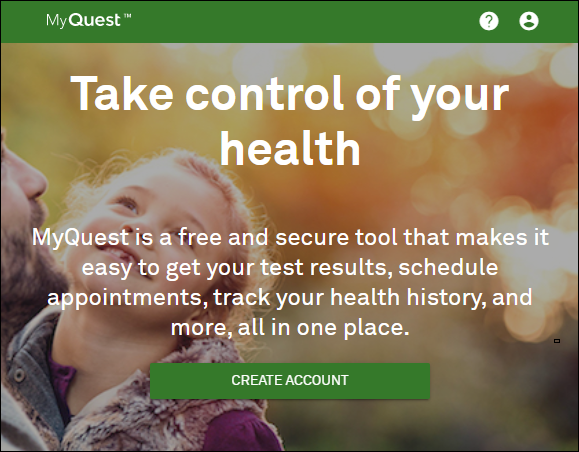
2 On the Create a MyQuest Account page, do the following:
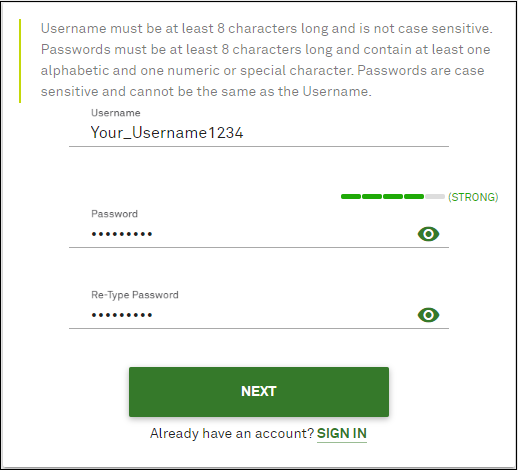
a Type a Username.
A username must have at least 8 characters.
Note: The username is not case sensitive.
b Type a password, and then re-type it.
Passwords must include at least 8 characters and contain at least one alphabetic and one numeric or special character. Additionally, passwords are case sensitive and cannot be the same as your Username.
c Click Next.
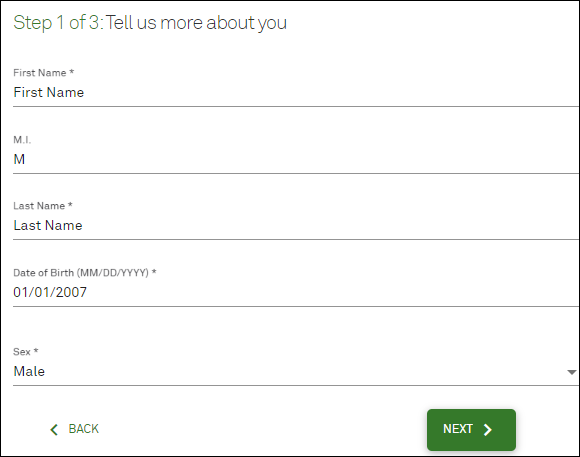
3 Type your personal information and then click Next.
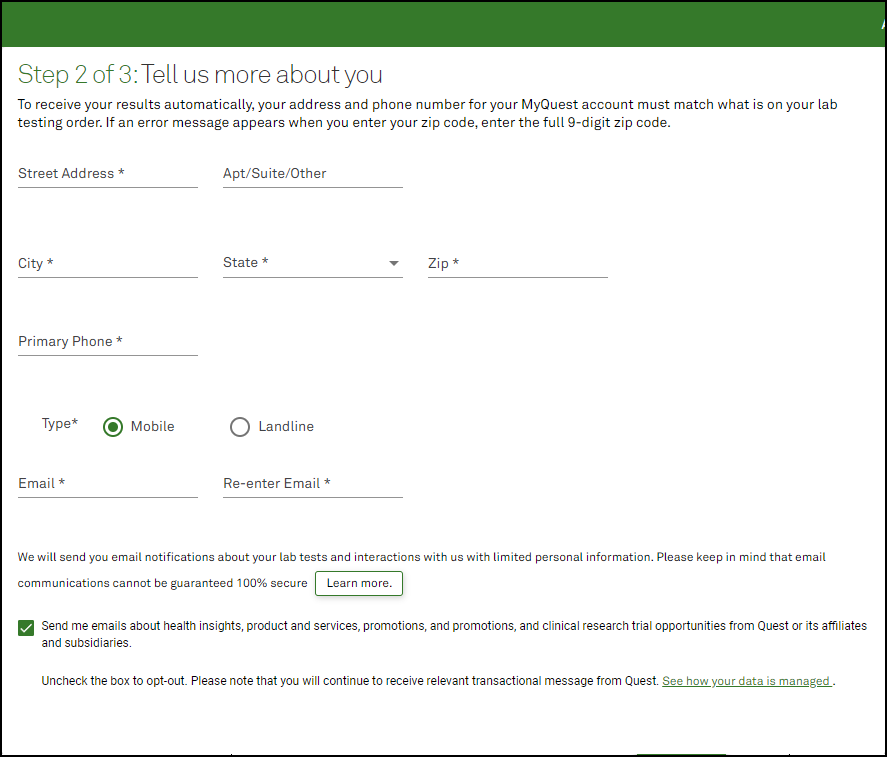
4 Type your contact information and then click Next.
5 Verify that your information is correct, read the Terms & Conditions, and then Create Account
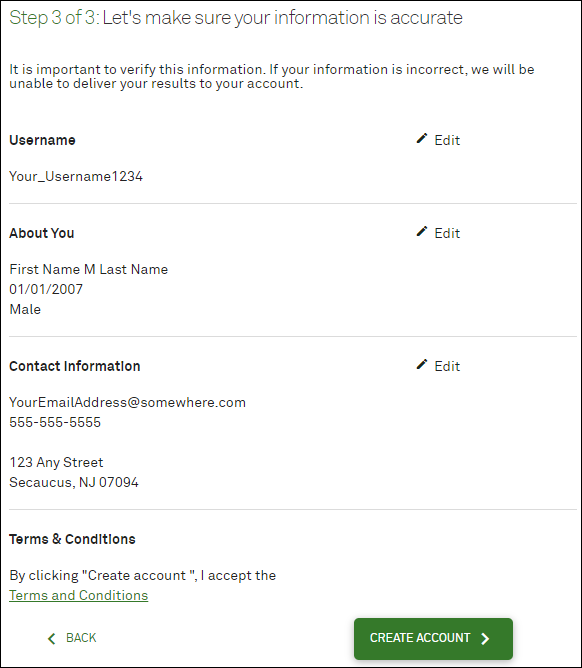
6 Following the instructions in the dialog box that pops up.
7 Go to the next section, Validate your email address.
Validate your email address
1 Access the email account that you used to create your MyQuest account.
2 Open the “Registration Email Confirmation” email from [email protected].
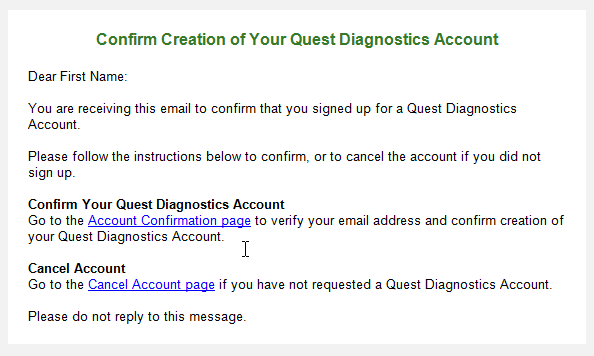
If you do not see the email, be sure to check your spam folder.
3 Click the Account Confirmation page link to verify your email address.
Your email has been verified and you have successfully created a MyQuest account.
Verify your identity
1 Go to Myquest.QuestDiagnostics.com and click SIGN IN.
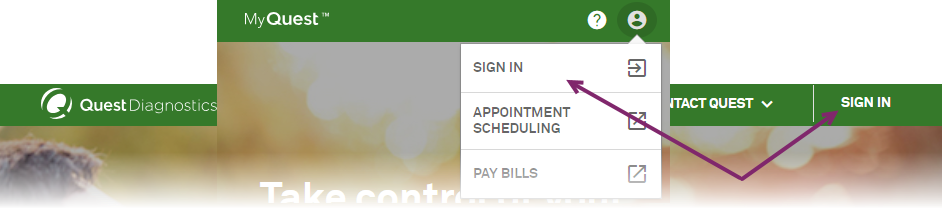
2 Click the notification icon > Verify.
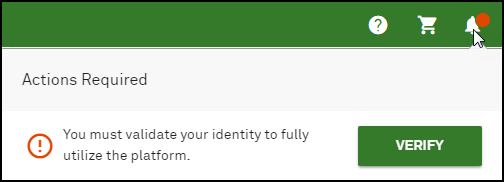
3 Review the information about identity verification, type the last 4 digits of your social security number (optional), and click Continue.
4 Answer the three questions that appear and then click Continue.
5 Continue with the next section, Authorize Quest to send you lab test results.
Authorize Quest to send you lab test results
1 Go to Myquest.QuestDiagnostics.com and click SIGN IN.
2 Click verify your identity.

3 Read the Identity Verification statement, type the last 4 digits of your social security number (optional), and then click Continue.
4 On the Identity Verification Questions page, answer all 3 questions and then click Continue. Note that you only have 3 minutes to complete this step; otherwise, you must repeat it.
5
6
7 Click the down arrows (under Terms of Services) to read the Patient Authorization To Send Protected Health Information and the Notice To The Patient.
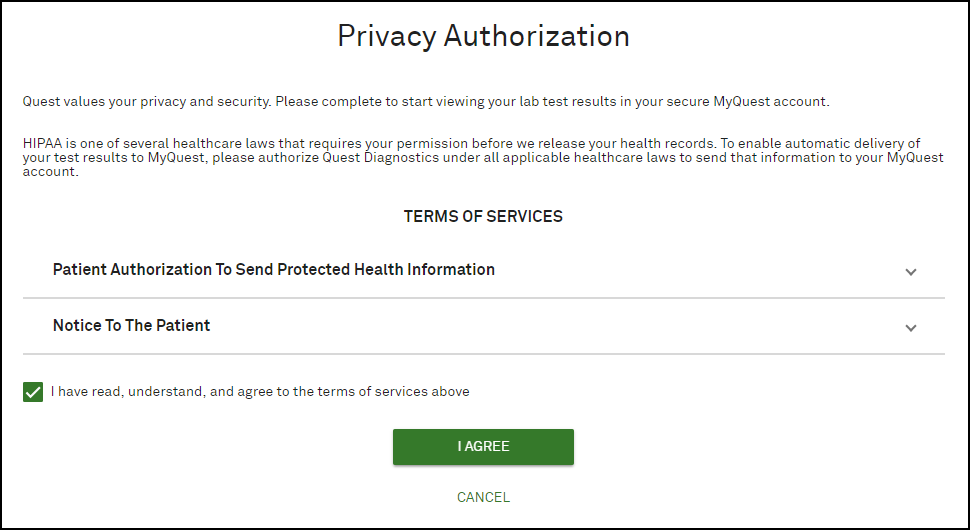
8 Select the I have read, understand, and agree to terms of service above check box and then click I AGREE.
You should start receiving lab test results in approximately a week.